Free Construction Punch List Template
Professional Punch List for Construction
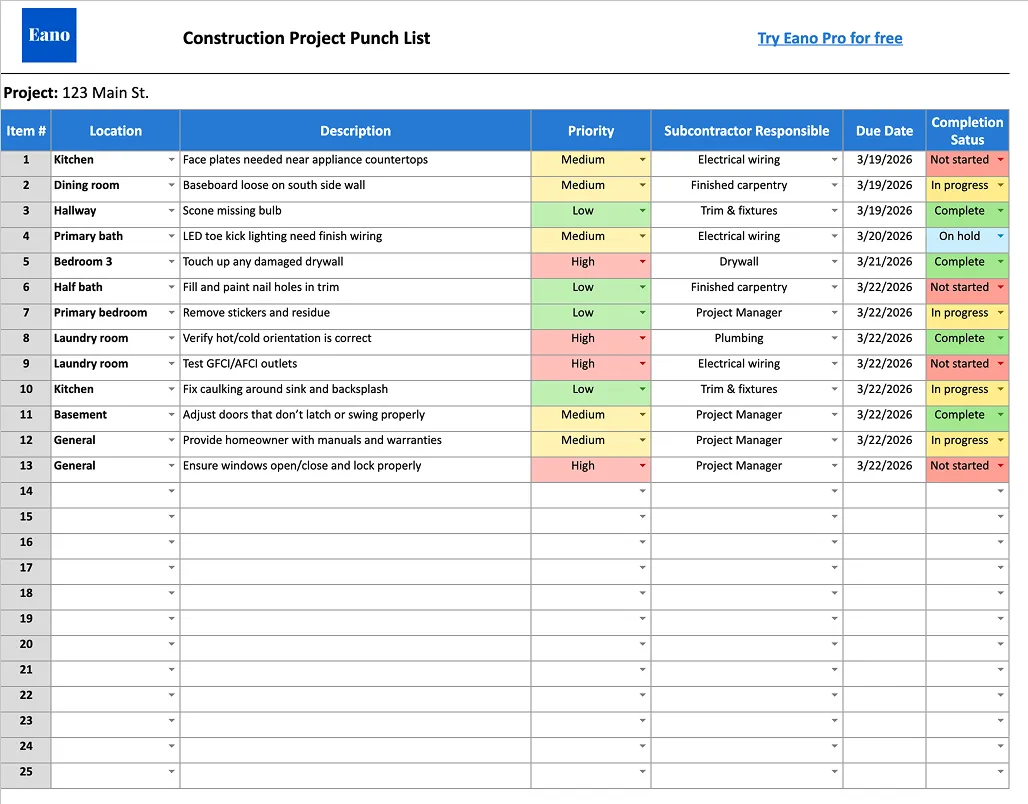
This free Punch List Template (Google Sheet and Excel) helps contractors track incomplete work, assign responsibility, prioritize fixes, and ensure every item is completed before project handoff.
What Goes Into a Good Punch List?
A good punch list clearly defines remaining work, who is responsible, and when it needs to be completed.
This template helps you track:
- Specific issue or task description
- Location within the project (room or area)
- Priority level (Low, Medium, High)
- Responsible subcontractor or trade
- Due date
- Completion status
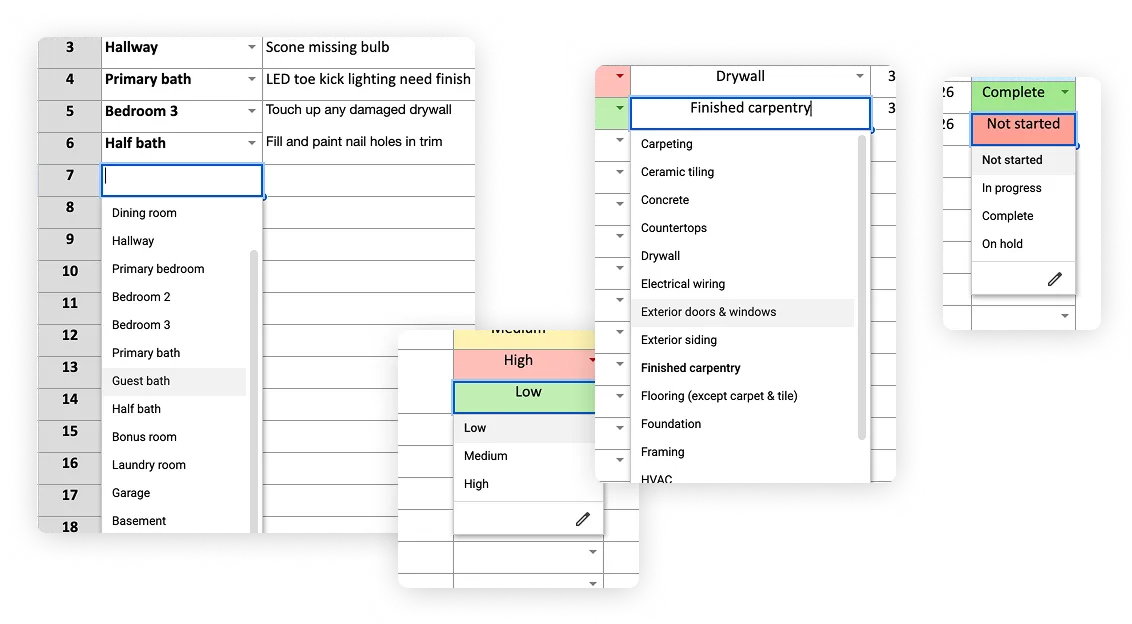
Clear documentation ensures nothing slips through the cracks. Preset variables to make entering items easy.
Why Organized Punch Lists Improve Project Closeout
Without a structured punch list, small issues can delay completion and frustrate clients.
Using a punch list template helps you:
- Keep all final tasks in one place
- Assign accountability to subs and team members
- Prioritize critical fixes
- Track progress toward completion
- Deliver a higher-quality finished product
Organized closeouts lead to smoother handoffs and better client satisfaction.
Punch List Template Overview
This free Punch List Template is delivered as a fully customizable Google Sheets file designed to help you manage project closeout from walkthrough to final completion.
Inside the template, you’ll be able to:
1. Capture and Organize Punch List Items
Log each issue with:
- Item number
- Location (room or area)
- Description of work needed
This ensures every detail is documented and easy to track.
2. Assign Responsibility to Subcontractors
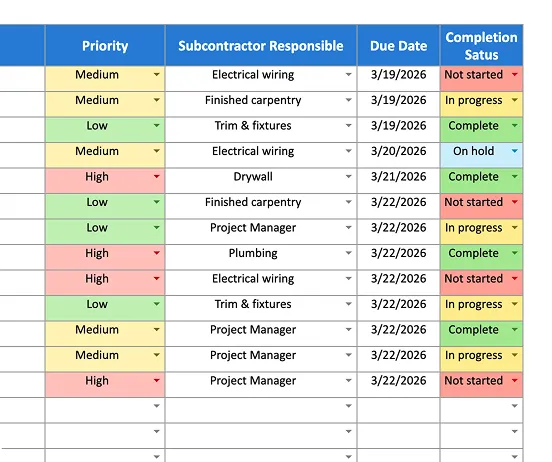
Assign each item to the responsible trade (electrical, drywall, carpentry, etc.) so there’s no confusion about who needs to complete the work.
3. Set Priority Levels
Mark items as Low, Medium, or High priority to focus your team on the most critical fixes first.
4. Track Status in Real Time
Use status labels such as:
- Not Started
- In Progress
- Complete
- On Hold
This gives you immediate visibility into project progress.
5. Manage Deadlines and Completion Dates
Set due dates for each item and track when work is completed to keep the project moving toward final delivery.
6. Customize for Your Workflow
Adjust fields, priorities, and statuses to match your process and project type.
This Punch List Template is ideal for:
- General contractors
- Remodelers
- Project managers
- Field supervisors
- Builders managing final walkthroughs