
Best Construction Management Software for General Contractors (2026)
Fundamentals First
What is construction management software?
If you need a modern refresher on all the things construction management software can do, we've got that covered in the linked article. But the TLDR is that Construction management software gives contractors one place to handle estimating, scheduling, daily logs, payments, client communication, and project tracking. For residential contractors, it helps cut down on manual admin work, improve visibility across active jobs, and keep estimating and project workflows moving faster.
What to Look for in Construction Management Software
Most platforms promise “all-in-one” functionality. But when evaluating general contractor software, the real differentiators come down to how well the software handles three core workflows:
- Estimating → Proposals → Winning the job
- Project execution → scheduling → communication
- Job costing → tracking → profitability
Traditional tools like Buildertrend were built around project management first, with estimating layered in. Newer platforms are flipping that—starting with estimating and connecting everything downstream.
That shift is where most of the differentiation happens.
What General Contractors Actually Need From Software
Most "construction management software" lists treat every buyer the same. A general contractor's day is different: you sell the job, buy out the trades, keep subs and the homeowner on one schedule, bill in draws, and price every change before it gets built. When you compare general contractor software, judge each platform on these jobs to be done:
- Bids and estimates: fast, accurate estimates and proposals the client can sign (see the features GCs actually use).
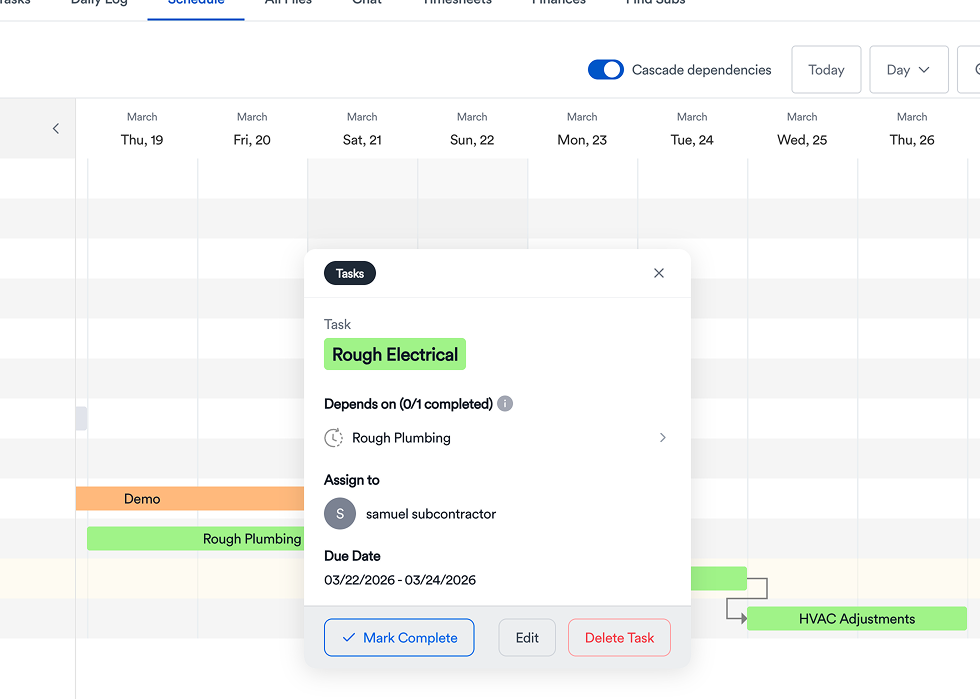
- Subcontractor coordination: one schedule with dependencies, so a late rough-in doesn't surprise the drywall crew.
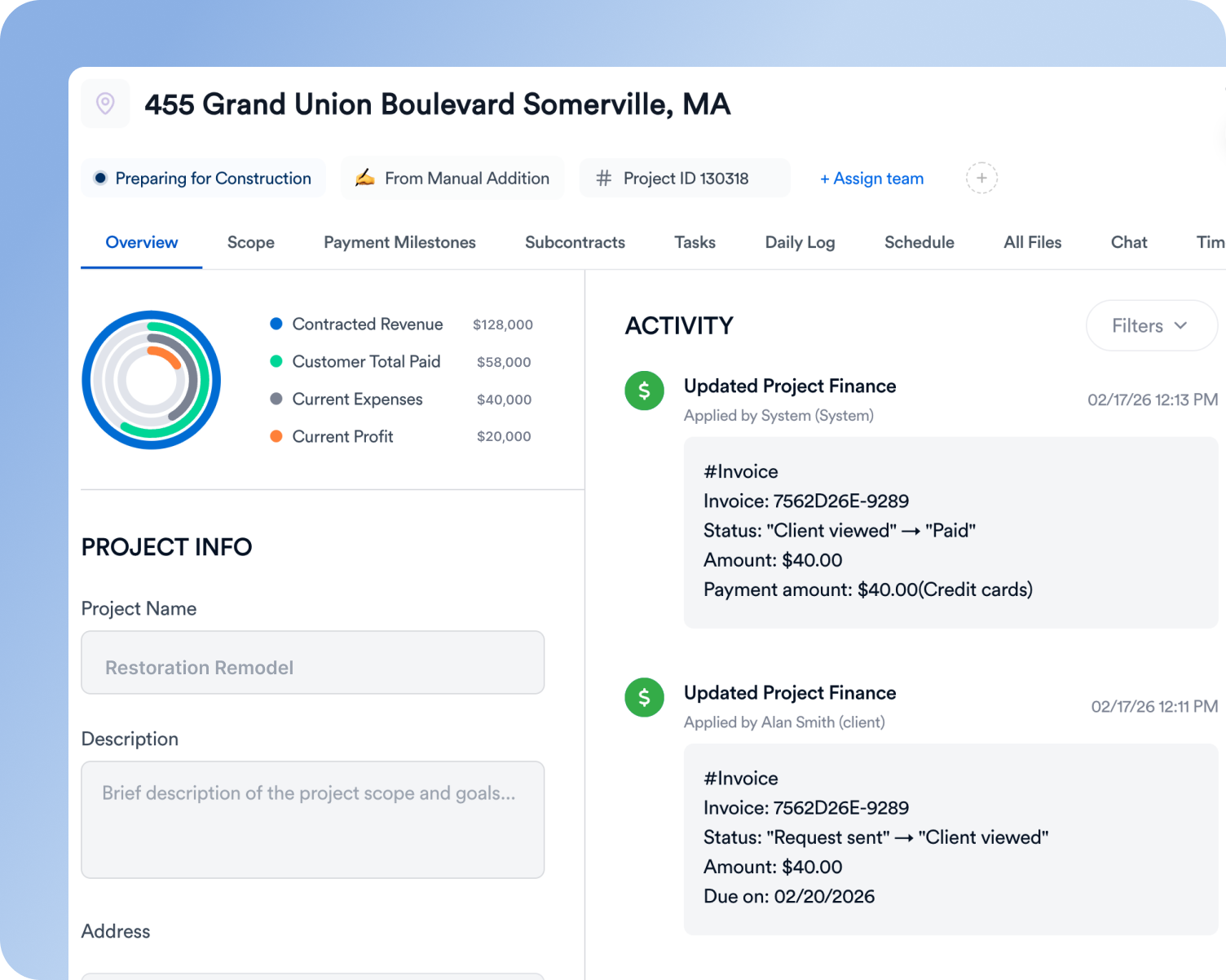
- Draws and budgets: the signed estimate becomes the job budget, and progress billing ties to completed work.
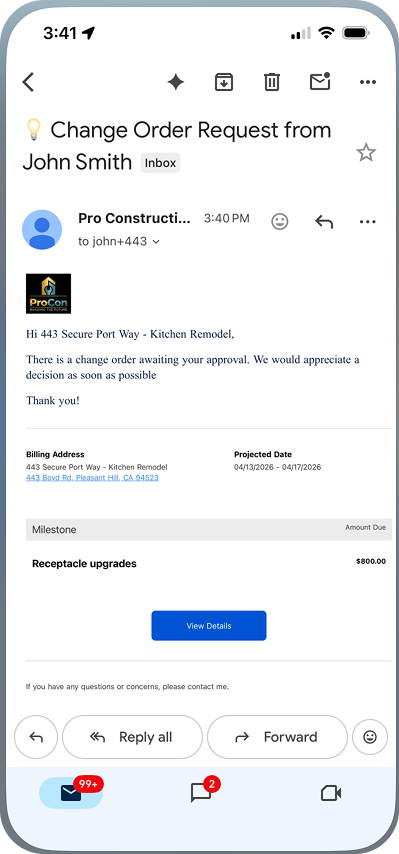
- Change orders: priced, approved by the homeowner, and added to the next invoice.
- Client updates: photos, schedule changes and approvals in one place instead of scattered texts.
Software matters more when labor is scarce. In the AGC and NCCER 2025 Workforce Survey, "88 percent of firms that directly employ craft workers report having openings," and 92% of contractors that are hiring say it's hard to find qualified workers (AGC/NCCER 2025 Workforce Survey Analysis). McKinsey found that construction productivity grew only 10% from 2000 to 2022, compared with 90% in manufacturing (McKinsey, Delivering on construction productivity is no longer optional). For most GCs, the extra capacity has to come from better systems, not more people.
If you're still running jobs out of Excel, start with general contractor software vs. spreadsheets. Smaller teams should read the best GC software for small businesses, and if budget is the main question, see GC software pricing.
Top Construction Management Platforms Compared
Here’s how the leading platforms break down:
| Platform | Best For | Strength | Weakness |
|---|---|---|---|
| Eano Pro | Residential GCs | Fast estimating + modern workflows | Newer brand |
| Buildertrend | Mid-large builders | Full feature suite | Complexity + slower workflows |
| Jobber | Service contractors | Simplicity + scheduling | Limited construction depth |
| Contractor Foreman | Budget-conscious teams | Affordable + feature-rich | UI + usability tradeoffs |
| Knowify | Trade contractors | Job costing + accounting | Less full PM coverage |
Buildertrend is still one of the most recognized platforms—but it’s increasingly being compared against tools that prioritize speed, usability, and tighter workflows.

Buildertrend: Strengths and Limitations
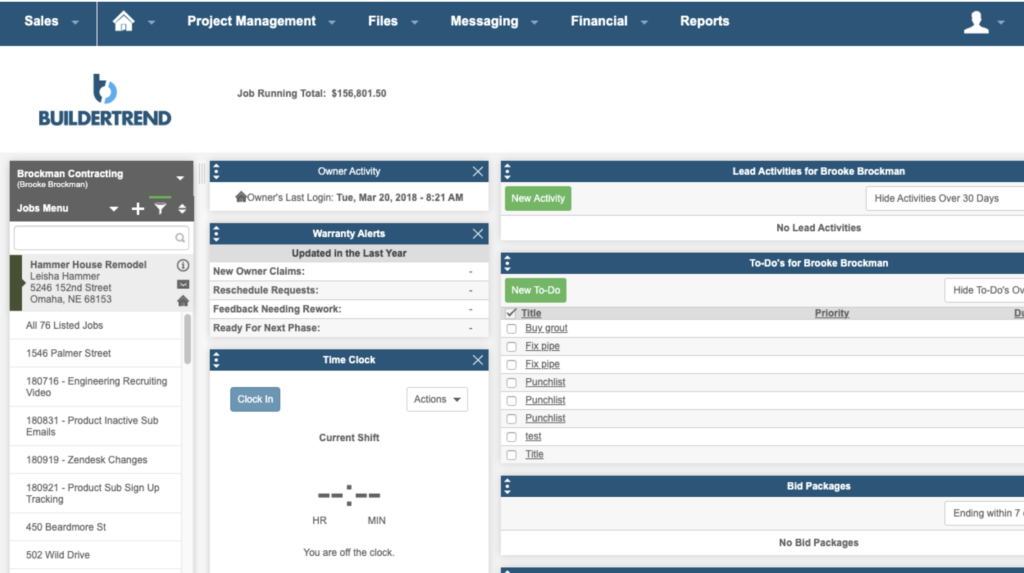
Buildertrend is a comprehensive construction management platform with features covering:
- Scheduling and task management
- Budgeting and financial tracking
- Client communication and portals
- Document storage and daily logs
- Estimating and proposals
It’s particularly strong for contractors who want structured project oversight across multiple jobs.
However, where Buildertrend often falls short is in execution speed and flexibility.
Common limitations include:
- Basic estimating functionality compared to dedicated tools
- Slower workflows when building estimates and proposals
- Complex setup and onboarding
- Disconnected workflows between sales and project execution
Buildertrend works—but it often requires contractors to adapt their workflow to the software, rather than the other way around.



Feature Comparison: What Actually Matters
Instead of comparing long feature lists, here’s how these platforms differ in the workflows that actually impact revenue.
1. Estimating Speed & Workflow
Buildertrend:
- Includes estimating tools
- More manual and step-heavy
- Limited flexibility for advanced calculations
Contractor Foreman / Knowify:
- Strong job costing and estimating
- More construction-focused financial tracking
Eano Pro:
- AI-assisted estimating workflows
- Faster quote generation
- Designed to move from estimate → proposal quickly
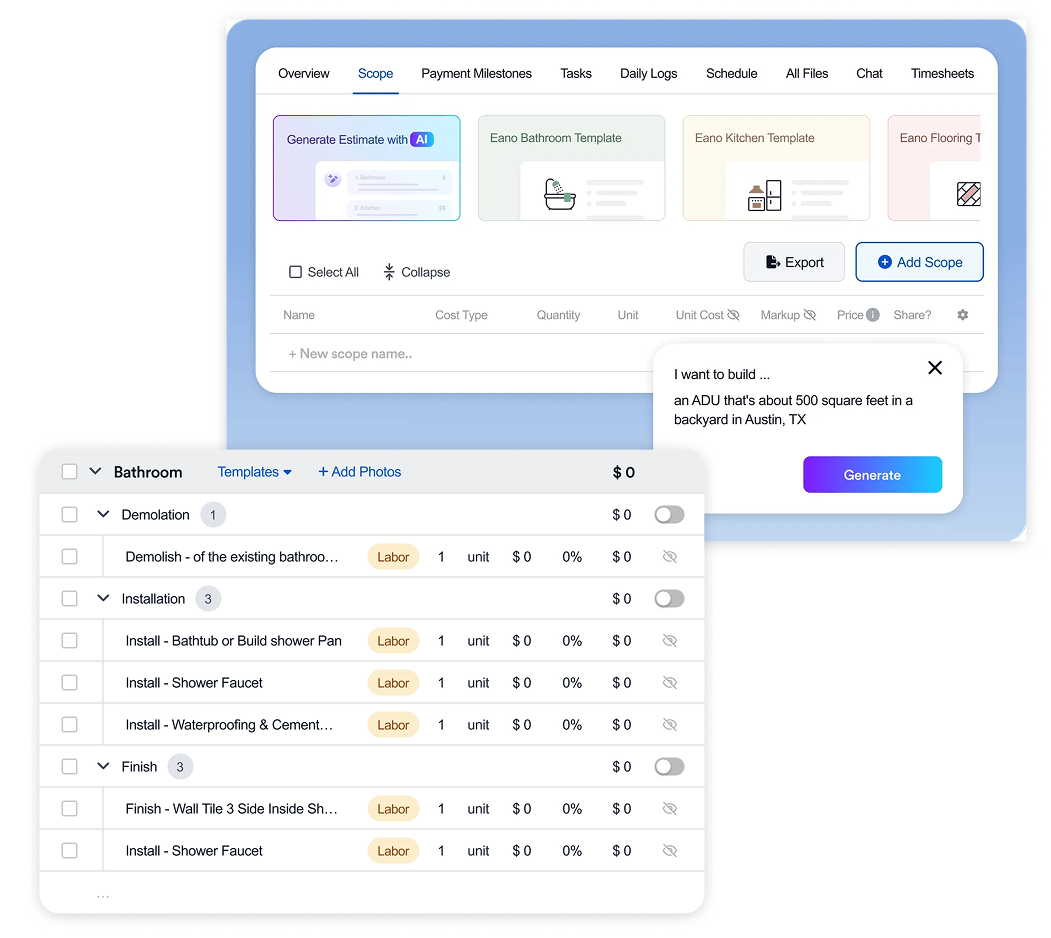
👉 Key takeaway:
Most legacy platforms treat estimating as a feature.
Modern tools treat it as the starting point of the entire workflow.
2. Proposal & Sales Workflow
Buildertrend:
- Proposal tools exist but are tied into broader system
- Less optimized for speed and conversion
Jobber:
- Strong for service quotes
- Less suited for larger construction projects
For a closer look at Jobber and other field-service-focused tools, see our full Jobber alternatives comparison.
Eano Pro:
- Built for client-facing proposals
- Designed to help contractors close deals faster
- Tight connection between estimate and presentation
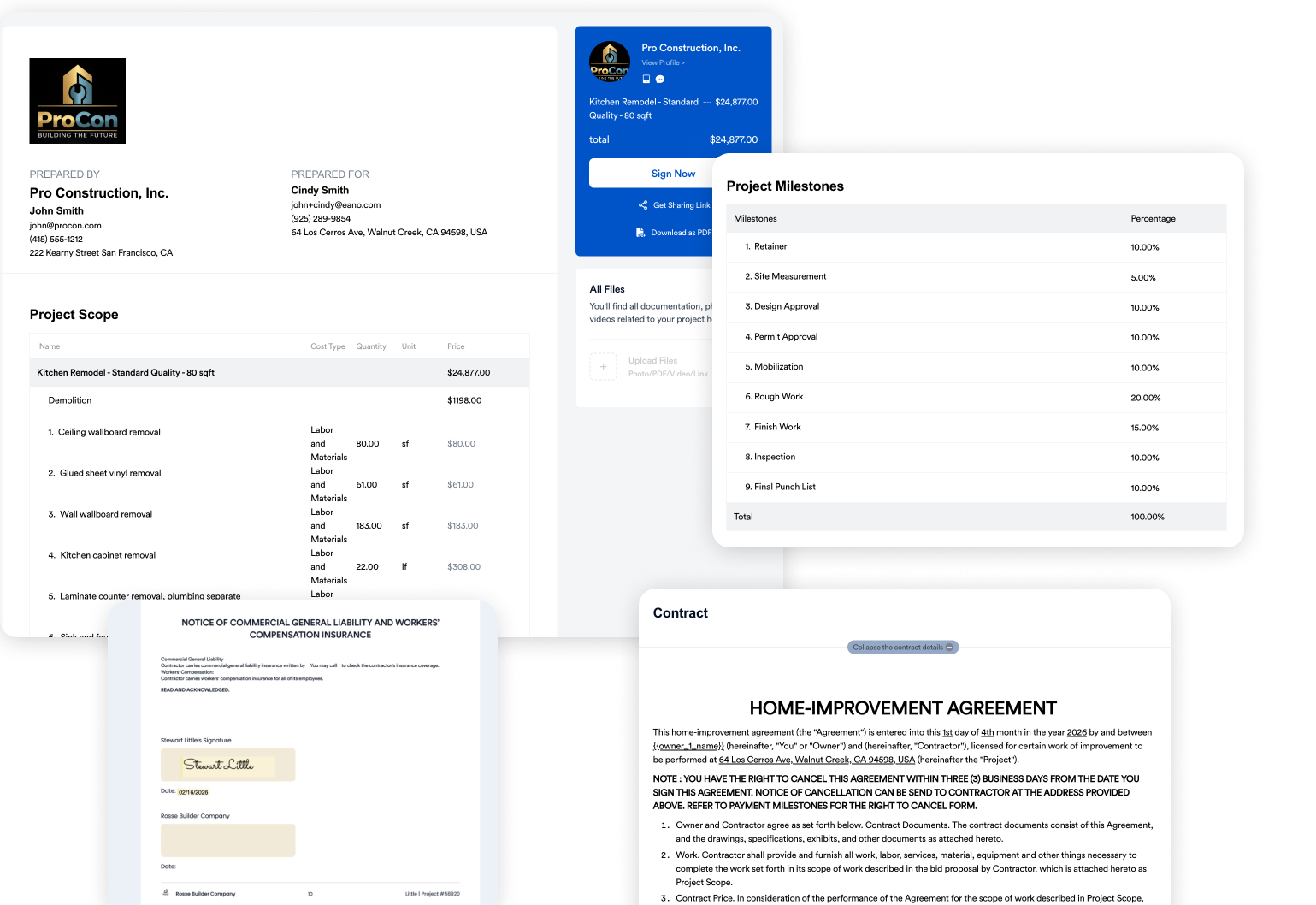
👉 This is a major shift:
Software is no longer just for managing jobs—it’s for winning them.
3. Ease of Use & Adoption
Buildertrend:
- Feature-rich but complex
- Requires onboarding and training, which is why they sell into Buildertrend University
- Better suited for teams with dedicated admin resources
Contractor Foreman:
- Broad feature set at lower cost
- Easier access but still requires setup
See our full Contractor Foreman alternatives comparison for a closer look at how it stacks up.
Eano Pro:
- Designed for quick adoption
- Simpler UI and faster onboarding
- Built for teams that don’t want to spend weeks setting up software
👉 This matters more than most teams expect.
Software only works if your crew actually uses it.
What contractors have to say comparing Eano Pro to Buildertrend and Jobber
4. Pricing & Value
Buildertrend pricing is typically:
- Custom or tier-based up to $1,100/mo.
- Often higher for smaller teams
- Can increase with additional features or users
Alternatives vary:
- Contractor Foreman → $221/month for Pro plan
- Jobber → ~$149/month for moderately-equipped plans
- Eano Pro → $159/mo. for all Pro features
Eano offers a lot of extra value at a similar price point such as account and project setup, a free website, and priority support. Many of these companies only offer those things at the Unlimited or customized enterprise tier.
👉 The real difference isn’t just price—it’s value per hour saved.
If a platform saves you:
- 5–10 hours/week in estimating
- Improves close rate
- Reduces admin overhead
…it quickly outperforms a cheaper but slower system.
5. Workflow Integration (The Big One)
This is where the biggest gap exists.
Buildertrend model:
- Estimate → separate workflows → project execution
- More steps, more handoffs
Modern model (Eano Pro):
- Estimate → proposal → project → payment
- One continuous workflow
👉 This reduces:
- Double data entry
- Errors
- Lost time between phases
And that’s where contractors start to feel real efficiency gains.
Buildertrend vs Other Tools: What’s Changing
The biggest shift in construction software right now isn’t more features—it’s workflow design.
Older platforms:
- Built for project management
- Heavy, structured systems
- Slower to adapt
Newer platforms:
- Built around speed and simplicity
- Focus on estimating and revenue generation
- Reduce friction across the entire job lifecycle
This is why more contractors are actively researching Buildertrend competitors instead of defaulting to it.
Which Platform Is Right for Your Business?
Here’s a simple way to decide:
Choose Buildertrend if:
- You want a structured, all-in-one system
- You manage complex, long-duration projects
- You’re okay investing time in setup and training
Choose Contractor Foreman or Knowify if:
- You want lower cost
- You need solid job costing and financial tracking
- You’re okay trading off UI and simplicity
Choose Eano Pro if:
- You want to estimate faster
- You want to win more jobs with better proposals
- You want a system that’s easy to adopt and actually gets used
- You want estimating, proposals, and project management in one flow
- You want to leverage the latest AI technology for estimating and takeoffs
See the full breakdown of Eano Pro for general contractors, including features, pricing, and who it's built for.
If You're a Residential GC: How to Decide
Residential GCs face a slower market. Harvard's Joint Center for Housing Studies projects remodeling spending growth will slow to 0.5% year over year by mid-2027, to about $519 billion (JCHS, Remodeling Spending Poised for Further Slowdown). When volume flattens, winning a larger share of bids and protecting margin on each job matter more than adding features you won't use.
- Your bottleneck is getting estimates out: prioritize AI estimating, takeoff and proposals that turn into contracts.
- Your bottleneck is running jobs: prioritize scheduling with sub dependencies, daily logs and client updates.
- Your bottleneck is margin: prioritize budgets, job costing and change orders that bill automatically.
- You're paying for several tools: add up the total monthly cost and check what a single platform would replace.
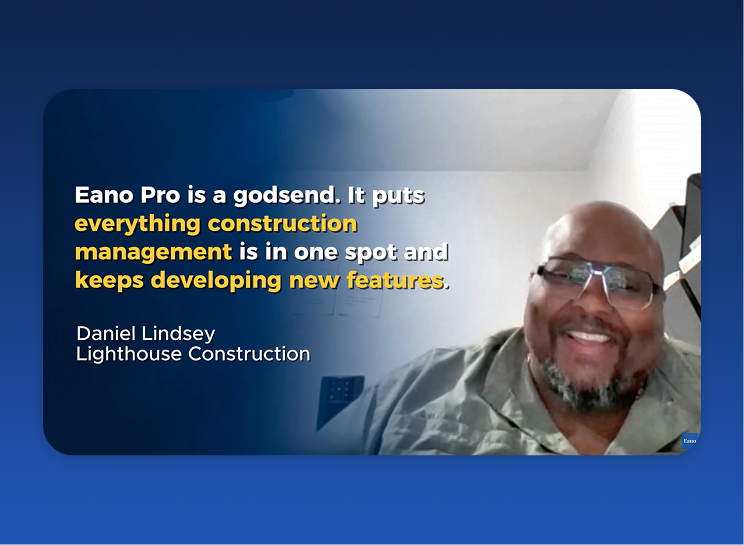
That last point is common. Daniel Lindsey of Lighthouse Construction & Design, a 20-person custom home and remodel GC and an Eano Pro customer, went from $1,500–$2,000 a month across multiple tools to $588 a year:
“I've had them all — Buildertrend, CoConstruct, I've had them all. Hands down the best for me right now.” — Daniel Lindsey, Lighthouse Construction & Design
Other Eano Pro customers describe the same pattern. TG Renovation grew from one user to 42 and runs its Los Angeles operations remotely. On its previous platform, Esteban Araya said it was "just very boxy. Just a lot, but very little. Just wasn't for us." (TG Renovation story). For multi-trade jobs, In Him Construction put it simply:
“Everything being in one place makes a big difference — especially when you’re managing different parts of a job.” — In Him Construction
And at Houston Premier Remodeling, Eduardo Ortiz moved off pen and paper: a kitchen estimate that took "about two days" now takes "a single afternoon," and scheduling keeps his subs organized.
Comparing two specific platforms? See Eano vs. Buildertrend.
Why More Contractors Are Moving Toward Modern Platforms
Across the industry, the shift is pretty consistent:
- Less tolerance for slow, complex tools
- Higher demand for mobile-friendly workflows
- Strong focus on revenue-driving features (estimating, proposals)
- Need for tools that scale without adding overhead
Even platforms like Buildertrend—while still widely used—are now being evaluated alongside tools that prioritize speed and usability over feature depth alone.
Final Take: The Best Software Is the One That Moves You Faster
There’s no single “best” construction management software.
But there is a clear trend:
👉 Contractors are moving toward platforms that help them:
- Estimate faster
- Close more deals
- Reduce admin work
- Keep projects moving without friction
If your current system slows down any of those steps, it’s worth taking a closer look at how newer platforms compare.
👉 For a deeper breakdown, explore our full guide to Buildertrend alternatives and how they stack up.
Compare All The Construction Management Software Platforms
| Feature |
Eano Pro Best Overall Value |
Buildertrend | Jobber | Contractor Foreman | Knowify |
|---|---|---|---|---|---|
| 💰 PRICING & ACCESS | |||||
| Starting price | Free → $159/mo | ~$299/mo+ | ~$29–49/mo | $49/mo | $99–149/mo |
| 10-user team / year | ~$1,908/yr | ~$6,000–12,000+/yr | ~$3,588/yr | ~$3,984/yr | ~$2,988+/yr |
| Pricing model | Free tier + flat monthly | Tiered plans | Per team size | Tiered plans | Tiered plans |
| Pricing published | ✓ | Partial | ✓ | ✓ | ✓ |
| Free trial / free tier | ✓ Free to start | Trial available | Trial available | Trial available | Demo required |
| Onboarding fee | ✓ None | Varies | None | None | Varies |
| Annual price increases | Stable | Varies | Varies | Varies | Varies |
| 🔧 CORE FEATURES | |||||
| Project management | ✓ | ✓ | Basic | ✓ | ✓ |
| Estimating | ✓ | ✓ | Limited | ✓ | ✓ |
| AI estimates | ✓ Built-in | ✗ | ✗ | ✗ | ✗ |
| AI takeoffs | ✓ Built-in | ✗ | ✗ | ✗ | ✗ |
| Proposals / contracts | ✓ | ✓ | Basic | ✓ | ✓ |
| CRM / lead tracking | ✓ | ✓ | ✓ | Basic | Limited |
| Scheduling / Gantt | ✓ | ✓ | Basic | ✓ | Limited |
| Change orders | ✓ | ✓ | Limited | ✓ | ✓ |
| Job costing / budgets | ✓ | ✓ | Basic | ✓ | ✓ |
| Client portal | ✓ | ✓ | ✓ | Basic | Limited |
| Mobile app | ✓ | ✓ | ✓ | ✓ | ✓ |
| QuickBooks integration | ✓ | ✓ | ✓ | ✓ | ✓ |
| 🎯 BEST FIT | |||||
| Best for | Residential GCs & remodelers wanting AI estimating + takeoffs | Established residential builders | Service contractors | Budget-conscious contractors | Job costing-focused contractors |
| Verdict for small GC | ✓ Best overall value | Strong but expensive | Good for service work | Best budget option | Good financial controls |
| Verdict for mid-size | ✓ Excellent fit | Excellent fit | Can outgrow quickly | Good value | Good fit |
| Verdict for larger teams | Growing fit | Strong | Weak | Moderate | Moderate |