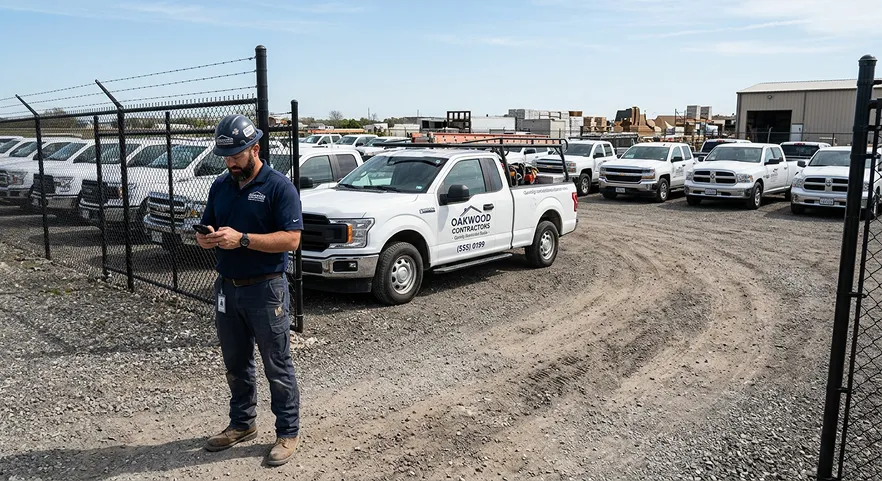

Construction jobs move quickly, and the equipment behind them has to keep up. Excavators, skid steers, dump trucks, generators, and even smaller tools all represent money, time, and risk. When one piece of equipment is late, lost, underused, or overdue for service, the impact can spread across the whole project. That is where construction equipment fleet management software comes in.
At its simplest, this type of software helps contractors track what equipment they own, where it is, who is using it, when it was last serviced, and whether it is worth keeping on a job or moving somewhere else. Think of it as a digital control center for your fleet. Instead of relying on spreadsheets, texts, and memory, you get one place to organize assets and make smarter decisions.
This matters because equipment costs are not small, and wasted time or underused assets add to them. When machines are sitting idle, getting rented twice, or missing maintenance windows, the business feels it quickly. Fleet management software helps reduce that drag by making equipment easier to manage.
What construction equipment fleet management software actually does
Good fleet software gives contractors visibility. It lets you see what equipment exists, where it is assigned, and whether it is ready to work. Depending on the platform, it may also include maintenance scheduling, usage logs, inspection forms, fuel tracking, GPS location, and repair history. Some systems go further with cost tracking, depreciation reports, and alerts for upcoming service intervals.
The big benefit is not just recordkeeping. It is decision-making. When you can see which machine has been sitting on a site for two weeks without being used, you can move it to another crew instead of letting it drain value. When you know a generator is due for service before the next pour, you can avoid a delay that might cost an entire day. That kind of control is why many contractors search for the best construction management software as they try to improve both jobsite coordination and back-office efficiency.
Equipment theft and downtime: what it costs
Lost and stolen equipment is the clearest example of why tracking matters. The most detailed public breakdown is the National Equipment Register (NER) and National Insurance Crime Bureau (NICB) 2016 Equipment Theft Report. It is older data, but it is still the most complete public edition, so read the figures as 2016 numbers:
- “The NICB compiled 11,574 reports of stolen machines in 2016.”
- “Only 21% of stolen equipment was recovered in 2016.”
- “Annual estimates of the cost of equipment theft vary from about $300 million to $1 billion, with most estimates in the range of $400 million.”
Source: NER/NICB 2016 Equipment Theft Report. The report also notes those cost estimates do not include losses from business interruption, such as short-term rentals to replace a stolen machine, or project delays.
Theft is only part of it. A machine that is broken down, sitting at the wrong site or overdue for service costs you in the same ways: a rental you didn't plan for, a crew waiting, or a pour that slips a day. Those costs rarely show up as an "equipment" line. They show up as labor overruns and lower margins on the job, which is why it helps to track equipment time against the project as well as the machine.
Why contractors need it
Construction companies often grow in a messy way. A business starts with a handful of tools and vehicles, then adds more jobs, more crews, more subcontractors, and more equipment. Before long, it becomes hard to answer basic questions: Which trailer is on which site? Who signed out the laser level? Is the mini excavator available Friday? Has the telehandler been serviced this month?
Without software, those questions are usually answered through calls, texts, or walking the yard. That may work for a very small team, but it breaks down fast as the business scales. Fleet management software gives growing contractors a better system. It cuts down on lost equipment, improves accountability, supports maintenance planning, and helps reduce downtime. It also makes it easier to estimate true equipment costs, which is useful when bidding work and reviewing margins later.
There is also a human side to this. Crews get frustrated when the right equipment is not available. Office staff get stuck chasing information that should already be documented. Owners end up making decisions based on incomplete data. A cleaner equipment system removes a lot of that stress.
Fleet management vs. telematics vs. maintenance software vs. construction management software
These categories overlap, and vendors often use the terms loosely. Here is what each one is mainly built to track, so you can tell which problem you are actually trying to solve.
| Software type | What it mainly tracks | Typical users | What it usually does not do |
|---|---|---|---|
| Equipment fleet management | Asset list, assignments to jobs and crews, check-in/check-out, utilization, inspections, service history, ownership costs | Equipment managers, yard managers, owners of mid-size fleets | Estimating, client proposals, project budgets |
| Telematics / GPS tracking | Machine location, engine hours, idle time, fuel use, geofence alerts (from hardware on the machine) | Fleet managers, equipment dealers, insurers | Job-level costing or scheduling on its own |
| CMMS / maintenance software | Preventive maintenance schedules, work orders, parts inventory, repair history | Shop and maintenance teams | Where the machine is working or what job it bills to |
| Construction management software (e.g., Eano Pro) | Estimates, budgets, job costing, timesheets, daily logs, schedules, client communication | Owners, PMs, estimators, field leads | GPS tracking of machines, engine hours, maintenance work orders |
Most small and mid-size contractors do not need all four. If you own a handful of machines and rent the rest, a simple equipment log plus good job costing often does more for your margins than a full telematics rollout. If you run dozens of machines across several yards, dedicated fleet or telematics software earns its cost.
The most useful features to look for
Not every platform is built the same, so it helps to know which features matter most. For most contractors, the essentials include asset tracking, maintenance reminders, jobsite assignment visibility, and simple reporting. If your company operates multiple crews or multiple yards, GPS and transfer logs become even more valuable.
Maintenance tracking is one of the most important pieces. Preventive service costs far less than major repairs caused by neglect. If a machine is due for inspection or repair, the system should flag it before the issue becomes expensive. Inspection checklists are also helpful, especially when equipment changes hands between crews. They create a paper trail and reduce disputes over damage or condition.
Another feature worth paying attention to is ease of use. A powerful system that no one wants to use is not very powerful at all. Field teams need something simple enough to open on a phone and update in seconds. Office managers need dashboards that make sense at a glance. The best platforms strike a balance between detail and speed.
How fleet software improves profit and productivity
Construction margins are often tight, which means small inefficiencies can become big problems. A machine sitting idle for three days may not feel expensive in the moment, but over a full season those hidden costs add up. Equipment that is not tracked well can also be rented unnecessarily, misplaced between sites, or kept long after it should have been sold.
Fleet management software helps contractors see those patterns earlier. That leads to better utilization, fewer emergency repairs, and less wasted labor. It also supports better scheduling. If you know what equipment is available and where it is, you can plan jobs with more confidence instead of making last-minute adjustments.
There is a financial upside too. Organized records make it easier to justify purchases, compare rental versus ownership, and calculate the real cost of keeping a piece of equipment in the fleet. That kind of insight is especially useful for growing contractors who want to expand without losing control.
Where Eano Pro fits in
To be clear up front: Eano Pro is not a fleet management or telematics system. It does not put GPS trackers on machines, read engine hours, or schedule equipment maintenance. If you need those, use a dedicated fleet or telematics tool.
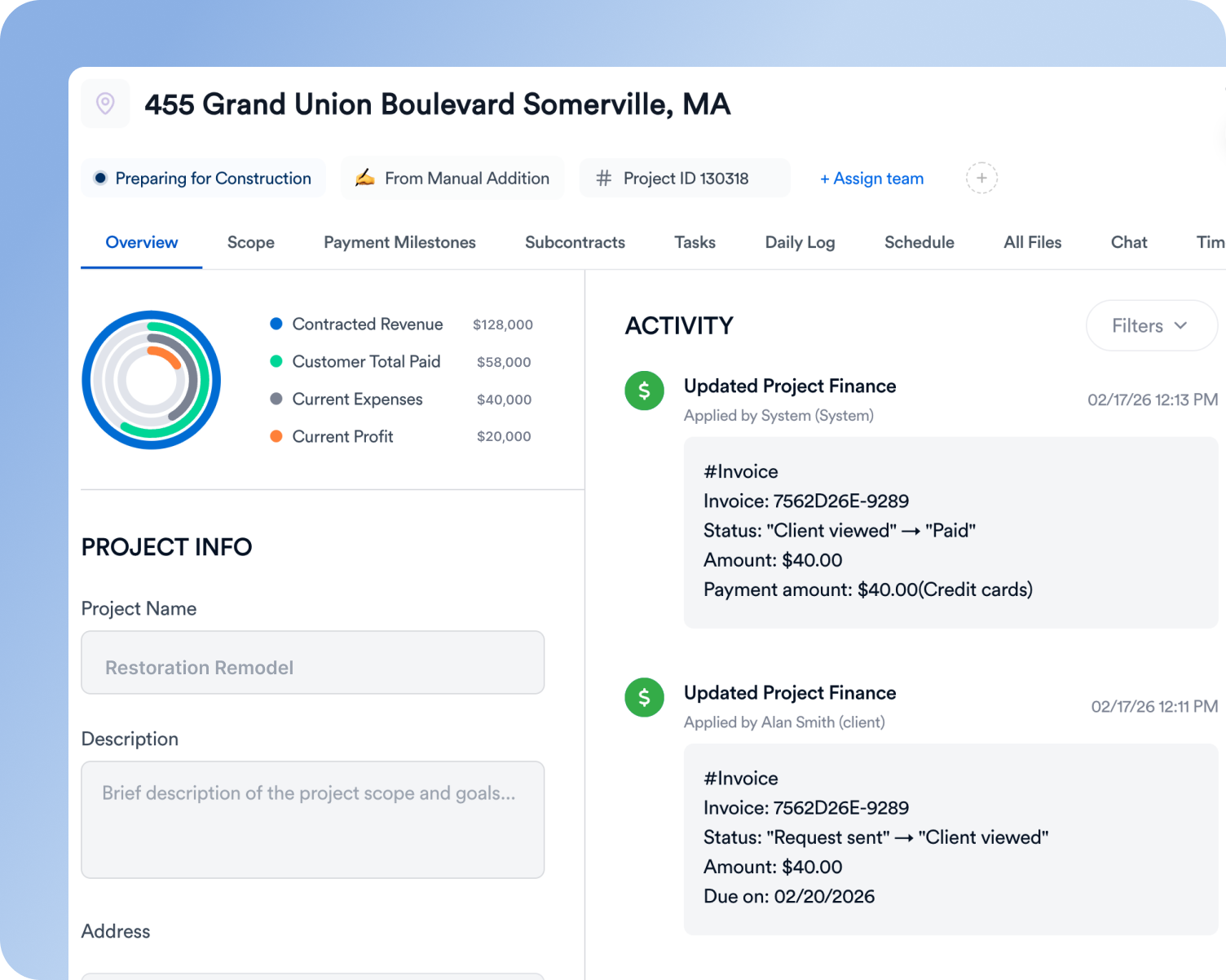
Where Eano Pro fits is the layer that equipment costs roll into: the job. Equipment is only profitable if its cost is captured on the projects that use it, and that happens in the estimate, the budget, the timesheets and the daily log:
- Budgets and job costing. Eano Pro construction budget software builds the project budget from your estimate, including labor, materials, subcontractors and equipment, then tracks actual costs against it at the line-item level. Rentals and equipment charges added to the job show up against the budget as they come in.
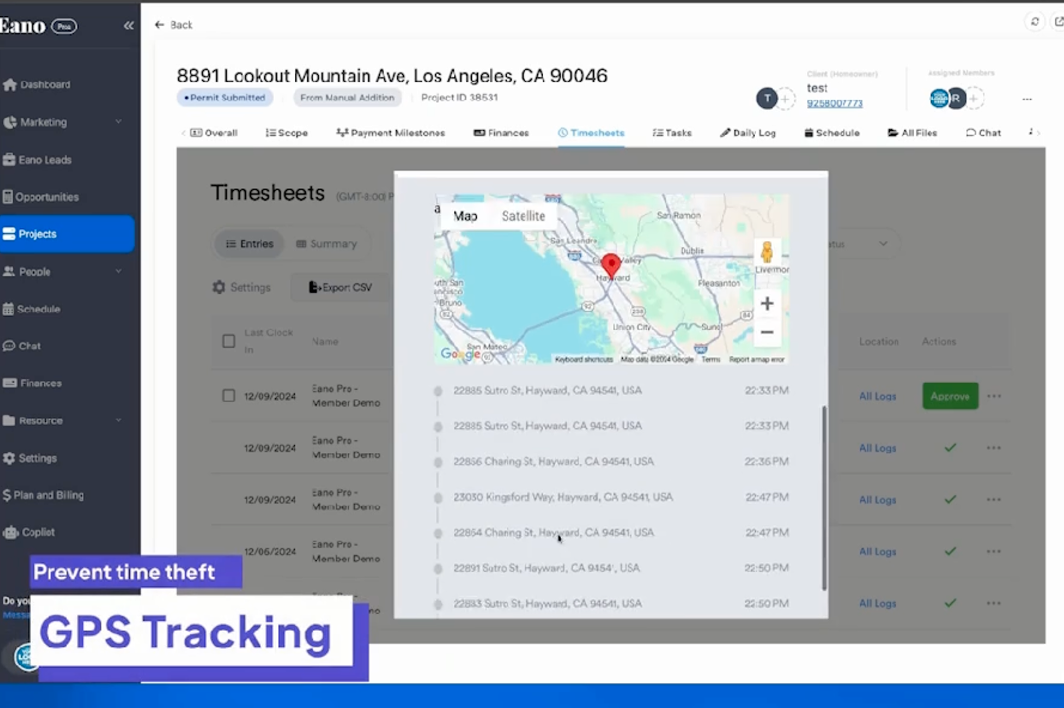
- Timesheets. Eano Pro timesheets let field workers clock in and out on mobile with GPS geofenced check-ins, and assign labor cost to each project. Operator hours are part of what a machine really costs on a job.
- Daily logs. Eano Pro daily logs capture photos, video and voice notes from the field, so you have a dated record of what equipment was on site and what happened that day. See the complete guide to construction daily logs for what to record.
Many contractors end up with one app for time, one for logs, one for estimates and another for budgets, and the subscriptions add up. Lighthouse Construction & Design described it this way before consolidating:
“It started $1,500, $2,000 a month just in programs.” — Lighthouse Construction & Design, read the full story
If you already run a fleet tool, keep it, and use your construction management software for the job side. For the job-costing method, read construction job costing for residential contractors.
For companies comparing software options, Eano Pro is worth considering if they want a tool that helps improve overall operational clarity, not just one narrow part of the business. A lot of teams do not need more complexity. They need a system that makes the work easier to manage.
Buyer's checklist for equipment fleet software
Use these questions in every demo. Ask the vendor to show you, not tell you.
- Asset records: Can you import your current equipment list from a spreadsheet, including serial numbers, purchase dates and values?
- Assignments: Can a foreman check a machine in or out to a job from a phone in under a minute?
- Location: Does location come from GPS hardware, the operator's phone, or manual entry? What hardware is required, and what does it cost per unit?
- Maintenance: Can you set service intervals by hours, miles or calendar date, and get alerts before they are due?
- Inspections: Are pre-use inspection checklists built in, with photos, so condition is documented between crews?
- Theft response: Can you quickly export serial numbers, photos and last known location for a police or insurance report?
- Job costing: Can equipment hours or rental charges be assigned to a specific project, and do they flow into your accounting or project software?
- Utilization reporting: Can you see how many days each machine actually worked last quarter, so you can decide what to sell, keep or rent instead?
- Pricing: Is pricing per asset, per user or per company, and what happens to the price as the fleet grows?
- Adoption: Will the field actually use it? Ask for a trial with your own crew, not just the office.
How to choose the right platform
When evaluating software, start with your biggest pain points. If equipment goes missing often, prioritize asset tracking. If breakdowns are your biggest issue, prioritize maintenance management. If crews constantly switch jobs, focus on mobile access and assignment history. The right software should solve real problems you already have, not create more work.
It is also smart to think about implementation. Ask how long setup takes, whether training is included, and how easy it is to import existing records. If the system cannot be adopted smoothly, your team may resist it. Contractors are busy, and any new tool needs to earn its place quickly.
Finally, look for software that can grow with you. A small contractor may need only a simple equipment log at first, but as the business expands, maintenance scheduling, reporting, and multi-site coordination become more important. Choosing a platform that can scale helps avoid a painful migration later.
Final thoughts
Construction equipment fleet management software is about more than checking boxes. It is about protecting expensive assets, keeping crews productive, and making better business decisions with less guesswork. When equipment is easier to track, maintain, and assign, projects tend to run more smoothly.
If your current system is a mix of spreadsheets, group texts, and memory, you are probably losing time in ways that are hard to measure but easy to feel. The good news is that a better process does not have to be complicated. With the right platform, you can bring more order to the fleet, reduce stress for the team, and keep jobs moving.
Pair a fleet tool, if you need one, with a system that captures equipment, labor and material costs on every job. That is the part Eano Pro handles: estimates, budgets, timesheets and daily logs in one app. For a broader look at site coordination tools, see what construction site management software does.
See how your equipment and labor costs land on each job. Start your free Eano Pro trial (no credit card required).