How to Evaluate Construction Project Management Software Before You Commit to a Free Trial
Choosing Construction Software Is a Bigger Decision Than Most Contractors Realize
Construction businesses don't replace software every year.
Once your estimating templates are built, your team is trained, your customer history is imported, and your accounting system is connected, changing platforms becomes a significant undertaking. The wrong decision doesn't just waste subscription fees—it can disrupt projects, frustrate employees, and slow cash flow for months.
Unfortunately, many contractors choose software after watching a polished 30-minute demo.
Choosing the right project management software can make or break a construction project.
With over 70% of contractors reporting delays due to miscommunication and inefficient processes, picking the best-fit tool isn’t just a technical decision—it’s a business-critical one.
Every construction company operates a little differently. A remodeling contractor juggling dozens of homeowner communications has different needs than a custom home builder coordinating subcontractors over twelve months. Commercial contractors have another entirely different workflow.
The only reliable way to know whether software fits your business is to use it the same way your team would use it after purchase.
That's where a free trial becomes valuable.
Not because it's free—but because it lets you evaluate software under real working conditions instead of ideal ones.
Why Product Demos Don't Tell the Whole Story
Software demonstrations are designed to show products at their best.
An experienced salesperson knows exactly where to click, which features to highlight, and how to avoid slower workflows. Everything looks clean because the demo account has perfect data and carefully prepared examples.
Your business isn't like that.
Your projects contain hundreds of documents.
Your estimates change constantly.
Your field crews work from job sites with inconsistent internet service.
Your office staff answer phone calls while updating schedules, sending invoices, and responding to clients.
A free trial lets you answer questions that no demonstration can.
- Can a superintendent learn the mobile app in one afternoon?
- How long does it actually take to build an estimate?
- Can office staff find project information quickly?
- Does scheduling feel simple or frustrating?
- Can your team complete daily work without constantly asking for help?
Those answers matter far more than whether a feature exists.
The Hidden Cost of Choosing the Wrong Platform
Many contractors focus only on monthly subscription costs.
That's understandable—but it's often the smallest expense.
Switching software involves:
- Importing customer records
- Migrating active projects
- Rebuilding estimate templates
- Connecting QuickBooks
- Training employees
- Updating internal processes
- Learning entirely new workflows
If the software isn't a good fit, you'll either repeat that process again or continue paying for software your team avoids using.
Neither outcome is inexpensive.
Taking an extra week to thoroughly evaluate software can save months of frustration later.
Build a Real Project During Your Free Trial
One of the biggest mistakes contractors make is exploring sample data.
Instead, recreate one of your current jobs from start to finish.
Use an active project your team already knows.
For example:
- Create the customer.
- Build an estimate.
- Convert it into a proposal.
- Collect approval.
- Schedule work.
- Assign tasks.
- Upload plans.
- Record daily logs.
- Track expenses.
- Generate an invoice.
If software struggles with your normal workflow, you'll discover it quickly.
If everything feels natural, that's an encouraging sign.
Real projects expose weaknesses that product tours never reveal.
Involve Your Entire Team—Not Just One Decision Maker
Owners often evaluate software on their own, which is understandable but can create blind spots. The people who will use the platform every day usually care about very different things. Estimators want to know whether it helps them work faster, project managers need clear organization, superintendents depend on a strong mobile experience, and office staff are usually focused on invoices, client communication, and documentation. Accounting may be looking at something else entirely: whether the system produces clean, reliable financial data.
During the trial, ask people from each department to complete a few of the tasks they handle regularly. Their feedback can uncover workflow problems that an owner or manager might never notice during a product demo. Involving the broader team early also gives employees a voice in the decision, which can make adoption much easier once the software is rolled out.
What Every Contractor Should Test During a Free Trial
Mobile Performance
Construction doesn't happen behind a desk.
Your crews need software that performs well on phones and tablets—not just desktops.
Ask field staff to:
- Upload 20 progress photos
- Complete a daily log
- Open construction drawings
- Find yesterday's inspection photos
- View assigned tasks
- Record completed work
Pay attention to how many taps each action requires.
If simple tasks become frustrating after only a few minutes, daily usage probably won't improve over time.
Scheduling Flexibility
Construction schedules rarely stay static. Weather delays, late material deliveries, inspection changes, and subcontractor conflicts are all part of running projects, so your software should make adapting to those changes feel routine rather than stressful.
During your free trial, intentionally create a few real-world scenarios to see how the platform responds. Move a task back several days, insert an unexpected inspection, delay framing, or add another subcontractor to the schedule. Then evaluate how easily the software handles those changes. Do dependent tasks automatically adjust? Are the right team members notified? Can everyone immediately see the latest schedule without hunting for updates? The faster and more intuitively the platform adapts to change, the easier it will be to keep projects moving when the unexpected inevitably happens.
Document Management
Construction projects generate an enormous amount of documentation over their lifecycle, including plans, specifications, permits, contracts, inspection reports, change orders, photos, and countless other files. As projects progress, keeping everything organized becomes just as important as creating the documents in the first place.
During your free trial, upload a representative set of files from an active project and ask someone else on your team to locate a specific drawing, permit, or progress photo. Pay attention to how quickly they can find the correct version without digging through folders or email chains. If locating information feels difficult during a trial with only a handful of documents, imagine how much more frustrating it will become six months into a project with hundreds of files. Strong document management doesn't just keep projects organized—it saves hours of searching and helps ensure everyone is working from the latest information.
Estimating Workflow
Construction estimates shouldn't live in isolation.
Ask yourself:
- Can estimates become projects without rebuilding everything?
- Are pricing updates easy?
- Can templates be reused?
- Can clients approve proposals electronically?
- Are change orders connected back to the original budget?
Every duplicate entry adds unnecessary office work.
Modern construction software should eliminate as much repetitive work as possible.
Financial Visibility
Many contractors discover budget problems only after projects are complete.
During your trial, see whether you can answer questions like:
- How profitable is this project today?
- Which jobs are falling behind budget?
- What invoices remain unpaid?
- What change orders haven't been billed?
- What expenses still need reimbursement?
The easier those answers are to find, the better management decisions become.
A Simple Construction Software Scorecard
Use this framework to compare platforms objectively.
Instead of choosing software based on marketing claims, score every platform consistently.
Common Mistakes Contractors Make During Free Trials
Many companies accidentally waste their evaluation period.
Common mistakes include:
- Only one employee tests the software.
- Nobody downloads the mobile app.
- Teams use sample projects instead of real ones.
- Accounting isn't involved.
- They compare feature lists instead of workflows.
- They never contact customer support.
- They stop testing after one afternoon.
A trial should feel like a controlled implementation—not a quick tour.
The more realistic your evaluation becomes, the more confidence you'll have in your final decision.
Signs You've Found the Right Platform
By the end of your trial, software should begin feeling natural.
Positive indicators include:
- Team members stop asking how to perform routine tasks.
- Information becomes easier to locate.
- Fewer phone calls are needed for project updates.
- Scheduling changes take minutes instead of hours.
- Office staff enter information only once.
- Clients receive faster responses.
- Project managers spend more time managing work than updating spreadsheets.
Good software quietly removes friction from daily operations.
That's often more valuable than flashy features.
How Different Contractors Evaluate Software
Not every contractor prioritizes the same capabilities.
A remodeling contractor may focus on:
- Client selections
- Proposal approvals
- Change orders
- Daily communication
A custom home builder often needs:
- Long-term scheduling
- Budget tracking
- Homeowner collaboration
- Subcontractor coordination
A roofing contractor may prioritize:
- Fast estimating
- Production scheduling
- Photo documentation
- Mobile usability
Knowing your biggest operational bottlenecks makes choosing software much easier.
Where AI Actually Fits Into Construction Software
Artificial intelligence has become a popular selling point, but it's most valuable when it eliminates repetitive work—not when it replaces contractor expertise.
The best AI features help contractors:
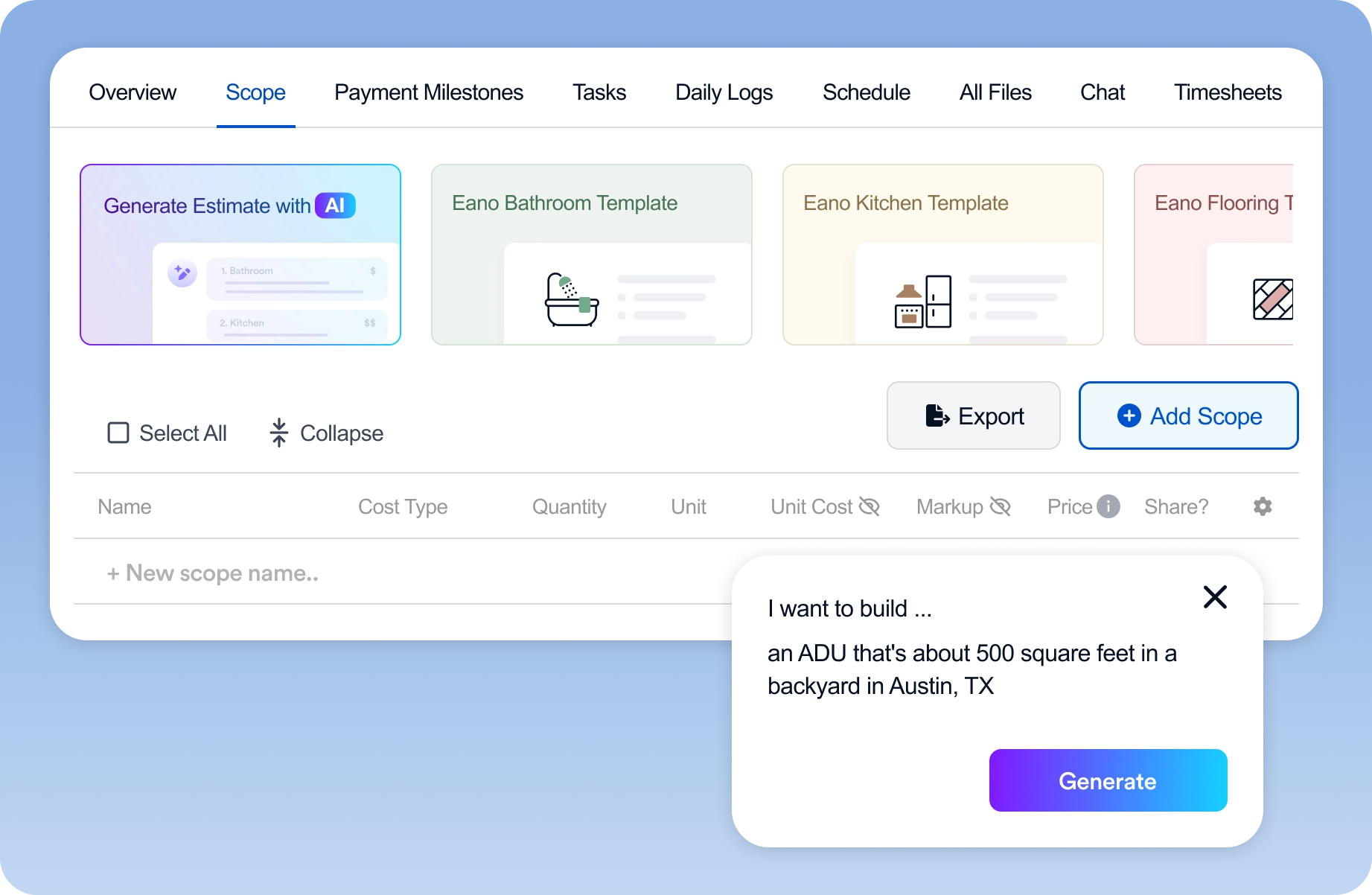
- Build estimates from scope notes
- Generate takeoffs from plans
- Rewrite proposal language
- Organize project documentation
- Speed up administrative tasks
AI shouldn't replace decision-making.
It should reduce the hours spent typing, copying, organizing, and formatting information.
The result is more time spent serving clients and managing projects.
How Eano Pro Fits Into the Evaluation Checklist
Rather than evaluating features in isolation, compare how a platform performs against your actual workflow.
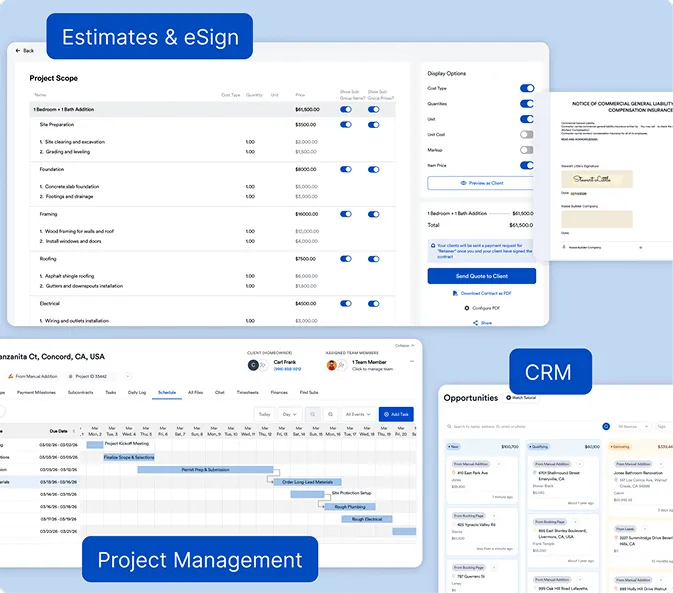
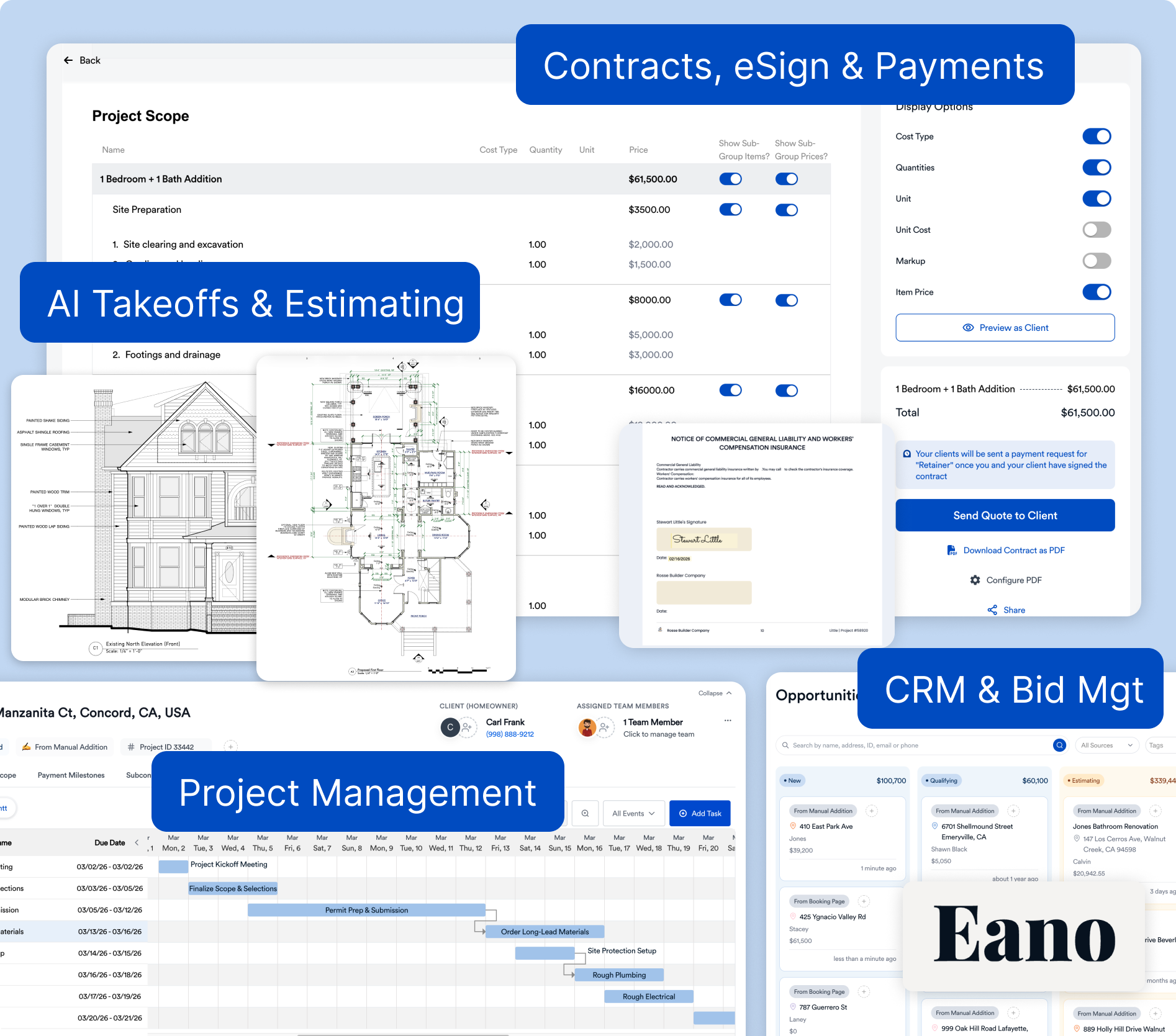
With Eano Pro, contractors can test:
- AI-assisted estimating from scope descriptions or construction plans
- Proposal generation with built-in eSignatures
- Interactive scheduling and task management
- Daily logs with photos, videos, and voice notes
- Job costing and budget tracking
- Change orders connected directly to project financials
- Client communication through a dedicated portal
- Invoicing, payment collection, and financial reporting
- Team collaboration across office and field
Because all of these tools are connected inside one platform, contractors can experience how information flows from lead to estimate, proposal, project, invoice, and final payment without constantly switching between different applications.
Using a live project during your trial provides a much clearer picture of how the platform would perform after implementation.
Questions to Ask Before Your Trial Ends
Before making a final decision, ask yourself:
- Does this software save time every day?
- Can field crews use it without extensive training?
- Does it reduce duplicate data entry?
- Will it replace other software subscriptions?
- Can it grow with our business?
- Does management gain better visibility into project performance?
- Is customer support knowledgeable and responsive?
- Would we still choose this software after using it on a real project?
If most of those answers are yes, you've probably found a platform worth investing in.
The Bottom Line
Choosing construction project management software is one of the most important operational decisions a contractor can make. The right platform doesn't just organize projects—it improves communication, reduces administrative work, keeps budgets on track, and gives owners better visibility into every job.
A free trial is your opportunity to move beyond feature lists and sales presentations. By recreating a real project, involving your entire team, testing mobile workflows, and evaluating everyday tasks, you'll gain a much more accurate understanding of how software will perform once it's part of your business.
Whether you're replacing spreadsheets or moving on from another platform, take the time to evaluate software the same way you'll use it after purchase. That extra effort can save months of frustration and help you choose a system your team will actually enjoy using every day.
Make Your Next Move: Try Before You Buy
Picking the right project management software is a big decision. Don’t leave it to chance or trust a sales pitch alone. Use a free trial project management software for construction to make sure you’re getting a platform that works for your team, your workflow, and your bottom line.
Eano Pro is ready when you are. See what it can do for your next project. Book a personalized demo now and get your questions answered by a construction software expert.