
Construction Time Card App: How Contractors Save 5+ Hours Every Week
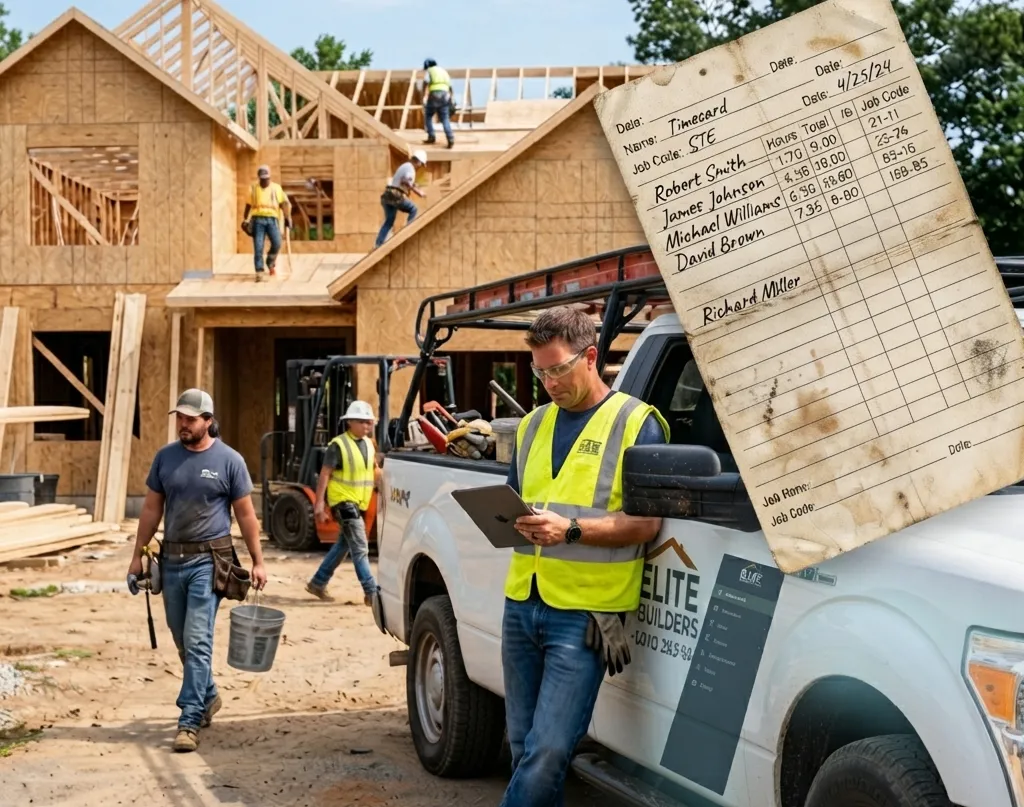
Paper time cards look cheap until someone has to read them. Hours get rounded, job names get skipped, and Friday turns into a chase for missing sheets. This guide covers what a construction time card should capture, how paper compares with a time card app, and a weekly routine that keeps payroll and job costs clean.
Why Accurate Field Hours Make or Break Profits
Every crew, every project, every week—labor costs are the lion’s share of your expenses. Even a half-hour missed per worker mounts up fast across a team. Manual tracking invites errors, discrepancies, and frustrating payroll disputes. Supervisors know the drill: you chase missing timesheets, try to decipher handwriting, and play phone tag to clarify forgotten hours. Meanwhile, actual work slows down.
In today’s market, small mistakes quickly add up. Projects run tight on margins, so every wasted minute chips away at profitability. Construction firms can’t afford to run blind on labor data, or worse, let payroll errors eat into hard-won revenue. That’s where smarter solutions step in.
What Is Construction Time Tracking Software?
Construction time tracking software automates and streamlines the way field crews log their hours. Instead of relying on paper, crews clock in and out with their phones or tablets—right from the jobsite. This means instant, accurate records for every shift, with built-in safeguards against buddy-punching or double entry.
Unlike off-the-shelf time apps, purpose-built construction solutions are designed for sites, not offices. They handle things field leaders care about:
- Overtime calculations based on union and state rules
- Job cost coding by phase, cost code, or crew
- Offline mode for remote sites
- Mobile access for field teams
All this cuts out manual entry and late-night catch-up sessions. The result? Managers get real-time visibility; payroll is clean and quick; compliance is no longer a guessing game.
What a Construction Time Card Should Capture
| Field | Why it matters |
|---|---|
| Worker name and role | Different roles often carry different pay rates and labor costs |
| Job or project | Lets you see labor cost per job, not just total payroll |
| Clock-in and clock-out times | Exact times are harder to dispute than rounded hours |
| Breaks and meal periods | Some states have strict break rules and penalties |
| Location | Confirms the worker was on the right site |
| Notes or photos | Shows what was done during those hours |
| Approval | A manager signs off before payroll runs |
If you work in California, break tracking matters more than most. See our explainer on California meal break penalties.
Paper vs. App Time Cards
| Paper time cards | Time card app | |
|---|---|---|
| Data entry | Someone retypes every card | Hours flow into reports |
| Accuracy | Rounded or filled in from memory at week's end | Recorded when the worker clocks in and out |
| Job costing | Often just a job name, if anything | Hours assigned to each project |
| Approvals | Signatures chased on Friday | Approved on a phone or computer |
| Missing cards | Found on payroll day | Visible the same day |
| Cost | Cheap to print, expensive to process | Subscription cost, less office time |
How Eano Pro Helps Contractors Win Back Hours
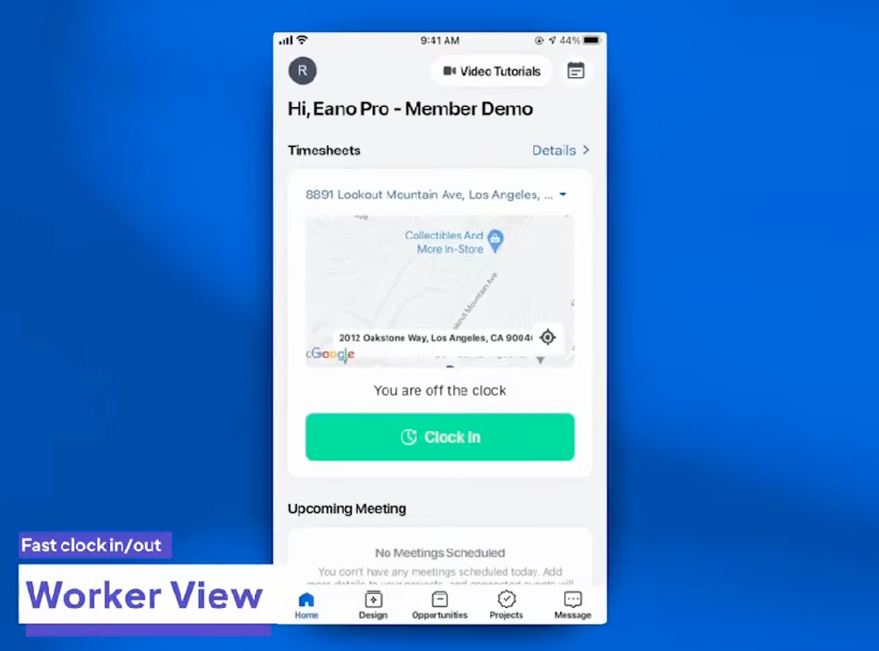
Eano Pro is built for the realities of construction work, not generic office workflows. With Eano Pro’s mobile timesheets, foremen and project managers can:
Based on Eano's timesheets features, workers can clock in and out on their phones, log breaks, and attach photos to time entries. Managers approve time cards, see who is on site, and assign labor cost to each project. GPS geofencing flags any punch made outside the job site boundary.
- Set up digital time cards for every worker in minutes
- Monitor attendance and breaks as they happen
- Track hours to specific projects, phases, or cost codes
This means no more chasing down subs for missing hours or fixing mistakes after the fact. Payroll data is ready to go at the end of the week, with fewer disputes and less stress.
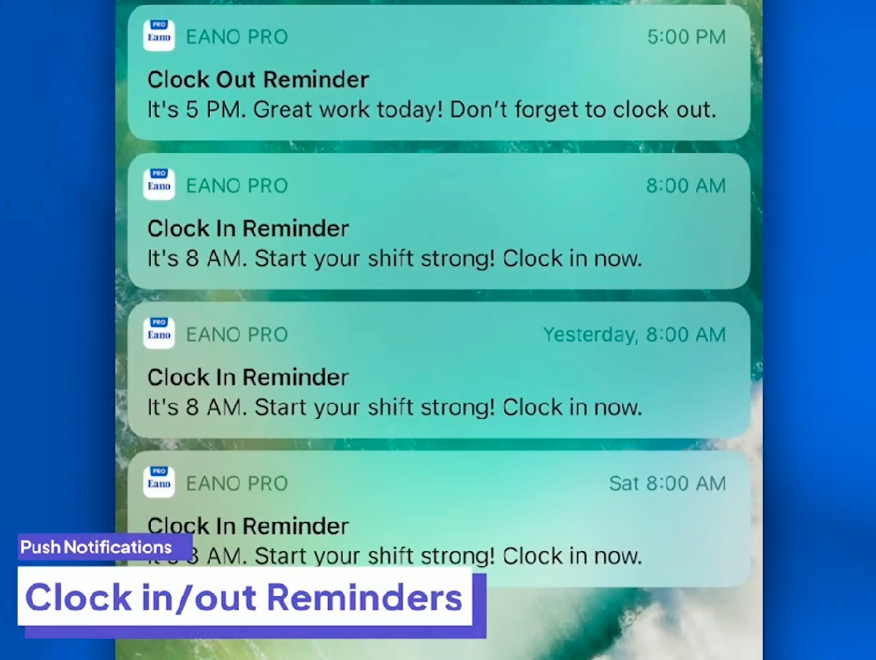
Firms using Eano Pro report saving five or more hours per week on timecard admin alone. That’s a half-day you get back—every week.
Key Benefits of Construction Time Tracking Software
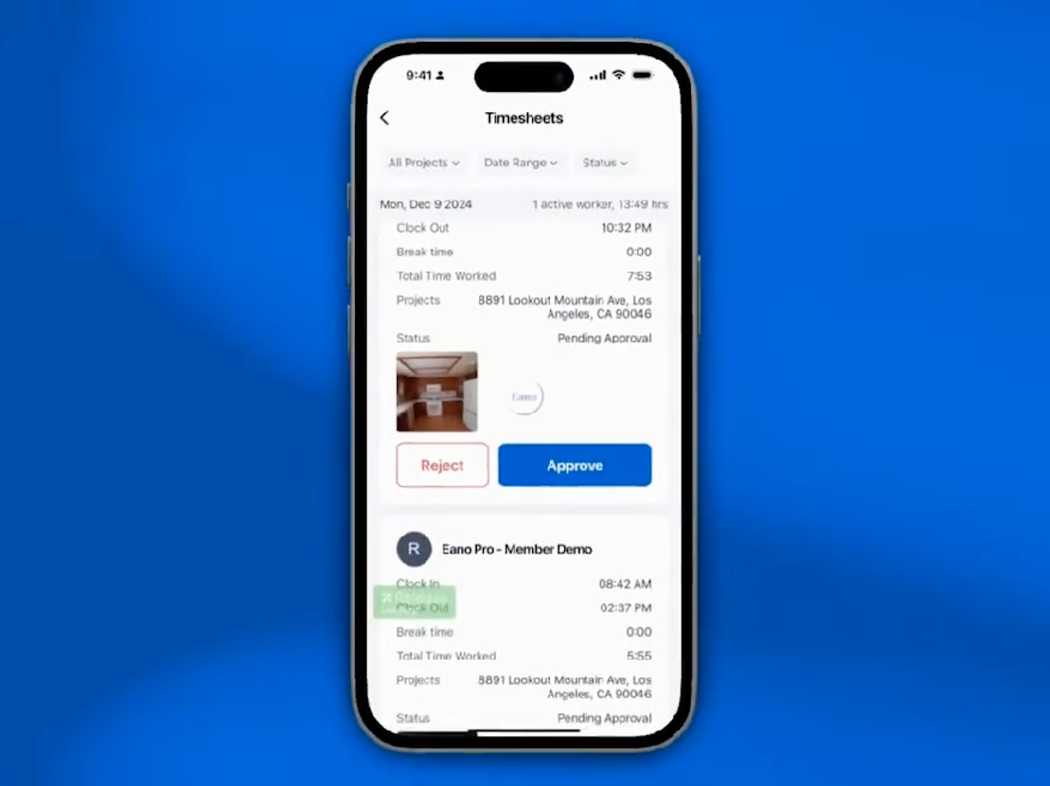
Beyond just saving time, construction time tracking software delivers practical advantages every contractor can appreciate:
- Real-time timecard visibility from office or field
- Reduced payroll errors and costly corrections
- GPS tracking to confirm times at location
- Faster, more accurate job costing for estimates and billing
- Easy onboarding for field crews with minimal training
If you’re looking to ditch paperwork and get a handle on labor costs, see what’s possible with construction time tracking software.
A Weekly Time Card Routine
- Daily: The foreman checks that everyone on site clocked in to the right job.
- Daily: The office reviews flagged punches, such as missing clock-outs or out-of-boundary check-ins.
- Before payroll cutoff: Managers approve each worker's week and fix errors with a note.
- Payroll day: Export approved hours to payroll. No retyping.
- Weekly: Compare labor hours on each job against the estimate to catch overruns early.
Example (illustrative)
Picture an 8-person crew on paper time cards. If reading, fixing, and keying each card takes about 6 minutes, plus another hour chasing missing cards, that's close to 2 hours of office time a week before anyone looks at job costs. Your numbers will differ, so time your own process for one payroll cycle before deciding what an app is worth to you.
Comparing apps? See our roundup of 8 popular time tracking apps for contractors, and for the payroll side, how a time card app reduces payroll processing. Once hours are tied to jobs, our guide to construction job costing shows how to compare labor against the estimate.
Why Your Next Project Needs Construction Time Tracking Software
Leaving timecards to chance is no longer necessary—or smart. Construction time tracking software gives you clarity, control, and confidence that every hour is counted and accounted for. Managers get back hours each week for higher-value work, while payroll becomes a fast, painless process.
Eano Pro puts field-focused tracking in your hands without adding complexity. No more scrambling for signatures. No more late-night number crunching. Just clear, accurate hours you can trust.
Start Saving Time—See Eano Pro in Action
Ready to save hours every week and take the hassle out of payroll? Book a demo of Eano Pro today and see how easy construction time tracking software can be. Schedule your demo now.