
Construction Proposal Management: Stop Losing Jobs to Slow Bids
Most lost proposals aren't lost on price. They stall. The proposal sits in draft, the revision never goes out, or nobody follows up after it's sent. Construction proposal management is the process that stops that from happening. This guide shows how to track every proposal from draft to signed, with a status table, an example pipeline, and a setup checklist.
Why Speed and Accuracy Matter in Winning Bids
If you’re still pouring over spreadsheets or juggling Word docs when a new project lands, you’re already behind. Owners and developers expect fast, clear, and accurate bids. The longer your proposal sits in draft mode, the more likely your prospect is to accept another contractor’s offer.
Efficiency isn’t just about saving time—it’s about landing more jobs and building a reputation for reliability. The right tools can help you get there.
The Basics of Construction Proposal Management
Construction proposal management is all about making your bidding process fast, organized, and repeatable. It covers how you gather project info, create estimates, build your proposal documents, and track every opportunity from first call to final handshake.
Without a system, it’s easy for important details to get missed or for versions to get mixed up. That can lead to costly errors or delayed responses that kill your chance of winning the job.
Common Roadblocks in Proposal Workflows
Most small and midsize contractors run into the same headaches:
- Re-entering data by hand, increasing the risk of mistakes
- Struggling to keep team members and subs on the same page
- Losing track of which proposals are out, pending, or approved
These roadblocks don’t just slow you down—they put your business at risk every time you submit a bid.
How Eano Pro Streamlines Construction Proposal Management
This is where Eano Pro comes in. Built for contractors who want to win more jobs, Eano Pro takes the pain out of proposal creation. Within one platform, you can:
- Build and edit detailed proposals with easy templates
- Track all proposals in progress, with status updates at a glance
- Collaborate with your team and subs without version confusion
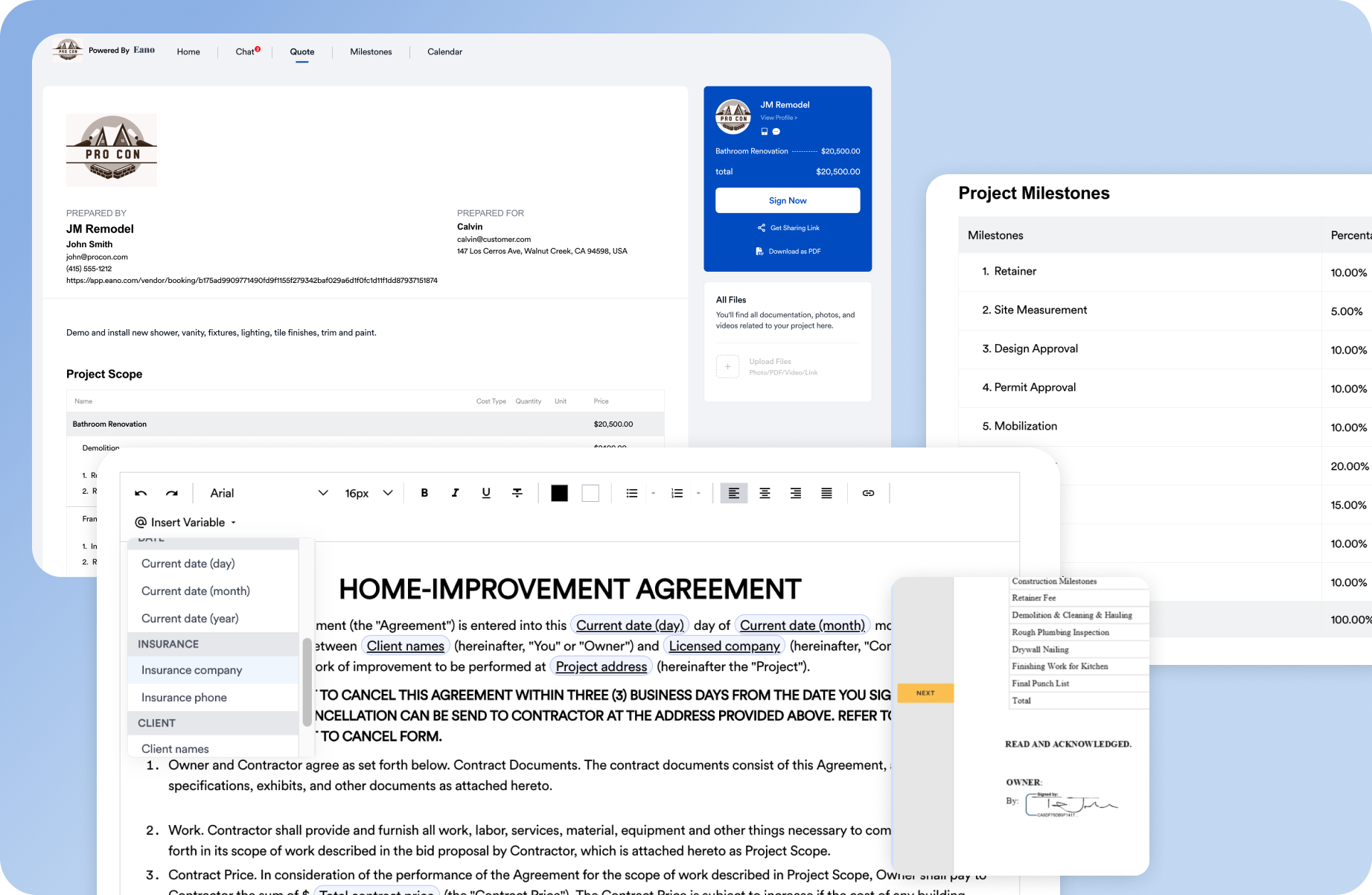
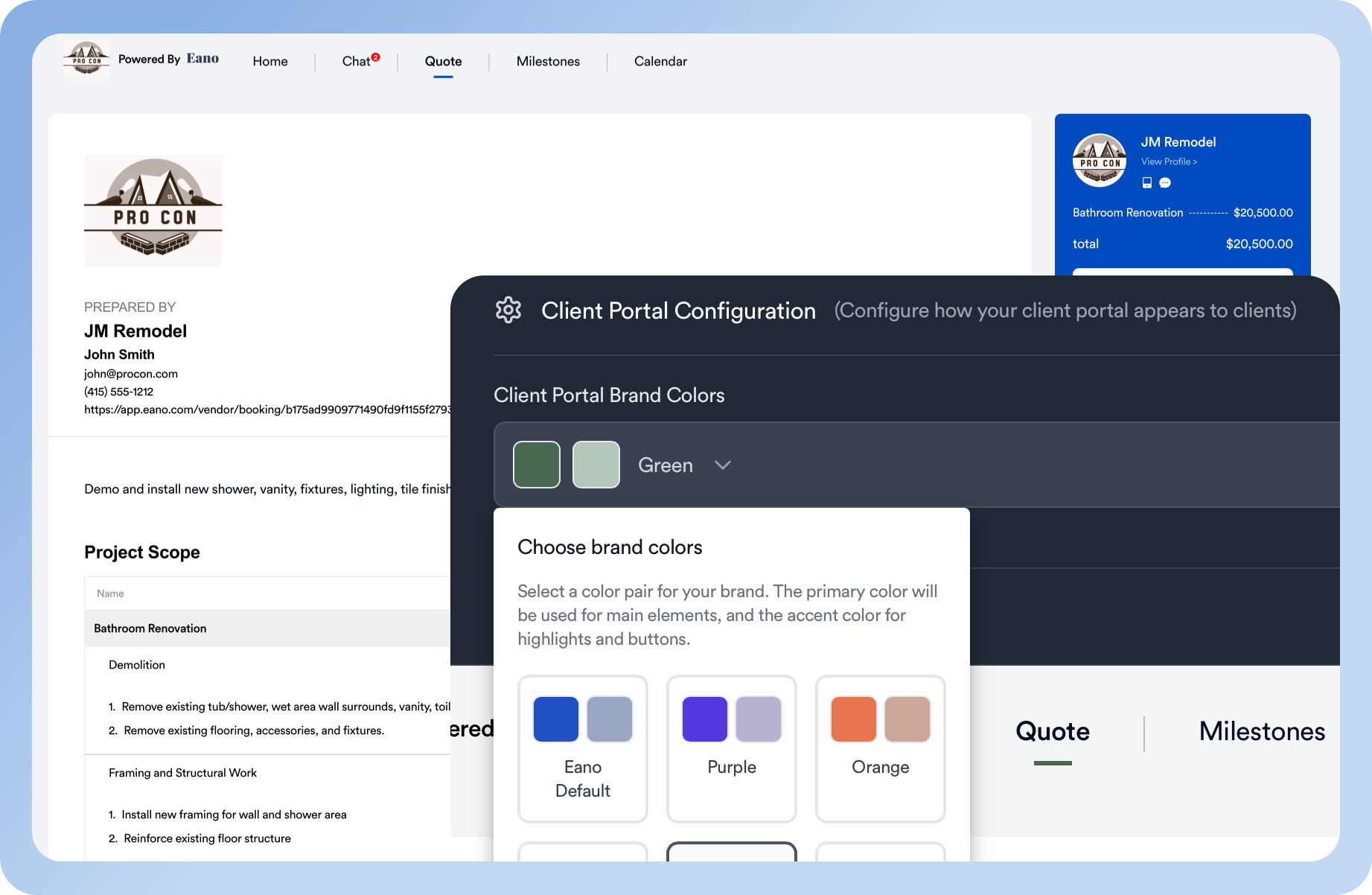
With Eano Pro, you take the guesswork and manual labor out of the entire proposal process. That means faster turnaround, fewer errors, and more bids submitted on time.
For a closer look at how it works, check out the construction proposal management page. Eano Pro’s tools are specifically designed to keep your bids organized, trackable, and ready to send at a moment’s notice.
In Eano Pro, proposals can include your contract and be signed online, and clients can view proposals, approvals, and next steps in a client dashboard. The CRM shows your pipeline in one view and sends automatic reminders so every lead gets a follow-up.
Proposal Statuses Every Contractor Should Track
A proposal tracker only works if every proposal has a status, an owner, and a next step. These are the statuses most residential contractors need. The time limits are examples. Set your own.
| Status | What it means | Owner | Next action | Time limit (example) |
|---|---|---|---|---|
| Draft | Estimate is being built or reviewed | Estimator | Finish and review pricing | 2 business days after site visit |
| Sent | Client has the proposal | Salesperson | Confirm they received it and opened it | Same day |
| Follow-up | No decision yet | Salesperson | Answer questions, offer a call | Day 2, then day 7 |
| Revising | Client asked for changes | Estimator | Send revised version with changes noted | 2 business days |
| Signed | Client accepted | Project manager | Schedule kickoff and deposit | Within 1 week |
| Lost / expired | Client chose someone else or the price expired | Owner | Record the reason | At expiry date |
Example: one month of proposals (illustrative)
Say a remodeling company sends 12 proposals in a month. By month-end, 3 are signed, 2 are lost, and 7 are still open. When the owner reviews the tracker, 4 of the 7 open proposals have no next step and no follow-up date. Those four aren't lost yet, but nobody is working them. That's the gap proposal management closes. The numbers are illustrative, but the pattern is common.
Construction Proposal Management Checklist
- Every proposal lives in one place, not in personal inboxes
- Each proposal has one owner and a next-step date
- Proposals show an expiration date so pricing doesn't sit open forever
- Revisions are numbered, and the client always sees the current version
- Scope, exclusions, allowances, and payment terms appear in the same order every time. Our guide on how to write a construction proposal covers each section
- Signed proposals turn into contracts and projects without retyping. See how an approved estimate becomes a contract
- Lost proposals get a reason recorded so you can spot patterns
If your process breaks down somewhere between estimate and signature, our guide to fixing a broken construction proposal workflow walks through the usual culprits, and how proposal software fits contractor workflows shows what to automate.
Why Construction Proposal Management Software Pays Off
Investing in dedicated construction proposal management isn’t just about the software—it’s about building a process that helps you compete. Here’s what you gain:
- Fewer mistakes: Automating calculations and using templates cuts down on costly errors.
- Better team communication: Everyone works from the same set of data, reducing confusion.
- Win more jobs: Faster proposals mean you’re first in line to be considered—and remembered.
With four out of five owners saying they prefer contractors who respond quickly and clearly, the right management system isn’t optional. It’s essential.
Setting Up an Effective Construction Proposal Management System
Getting started doesn’t have to be complicated. Focus on these steps:
- Centralize project intake and document management
- Automate repetitive tasks wherever possible
- Train your team on a single, easy-to-use platform
Eano Pro makes implementation straightforward. The platform’s clean interface and built-in guides mean you and your crew can get up to speed fast.
Ready to See Eano Pro in Action?
Don’t let another job slip through the cracks because your proposal process is too slow. See how Eano Pro can help you win more work—and spend less time on paperwork.
Book a demo today: Schedule your walkthrough.